
Ask most contractors how much their family spent on groceries last month and they can get you pretty close. Milk, gas, the kids’ hockey, that surprise vet bill. They know.
Now ask them what their crew spent on materials last week. Whether anyone got a second price on the drywall. Whether the order even went to the supplier with the best number, or just the one the PM always calls. The room usually goes quiet.
That is the strange thing about running a construction business. An owner can spend hundreds of thousands, sometimes millions, a year on materials, and still have a better handle on what is in the fridge at home than on where all that money actually goes. It is not a discipline problem. It is a tooling problem. And if you are running on QuickBooks Online, part of that gap has a very specific cause: QuickBooks was never built to help you compare supplier quotes in the first place.
Let’s talk about why, and what to do about it.
The honest answer: QuickBooks does not compare quotes
QuickBooks Online is a genuinely good accounting system. It is the system of record for your business, and it should be. It tracks your bills, your expenses, and your income. On the Plus and Advanced plans it will even create a purchase order and turn it into a bill once the material shows up.
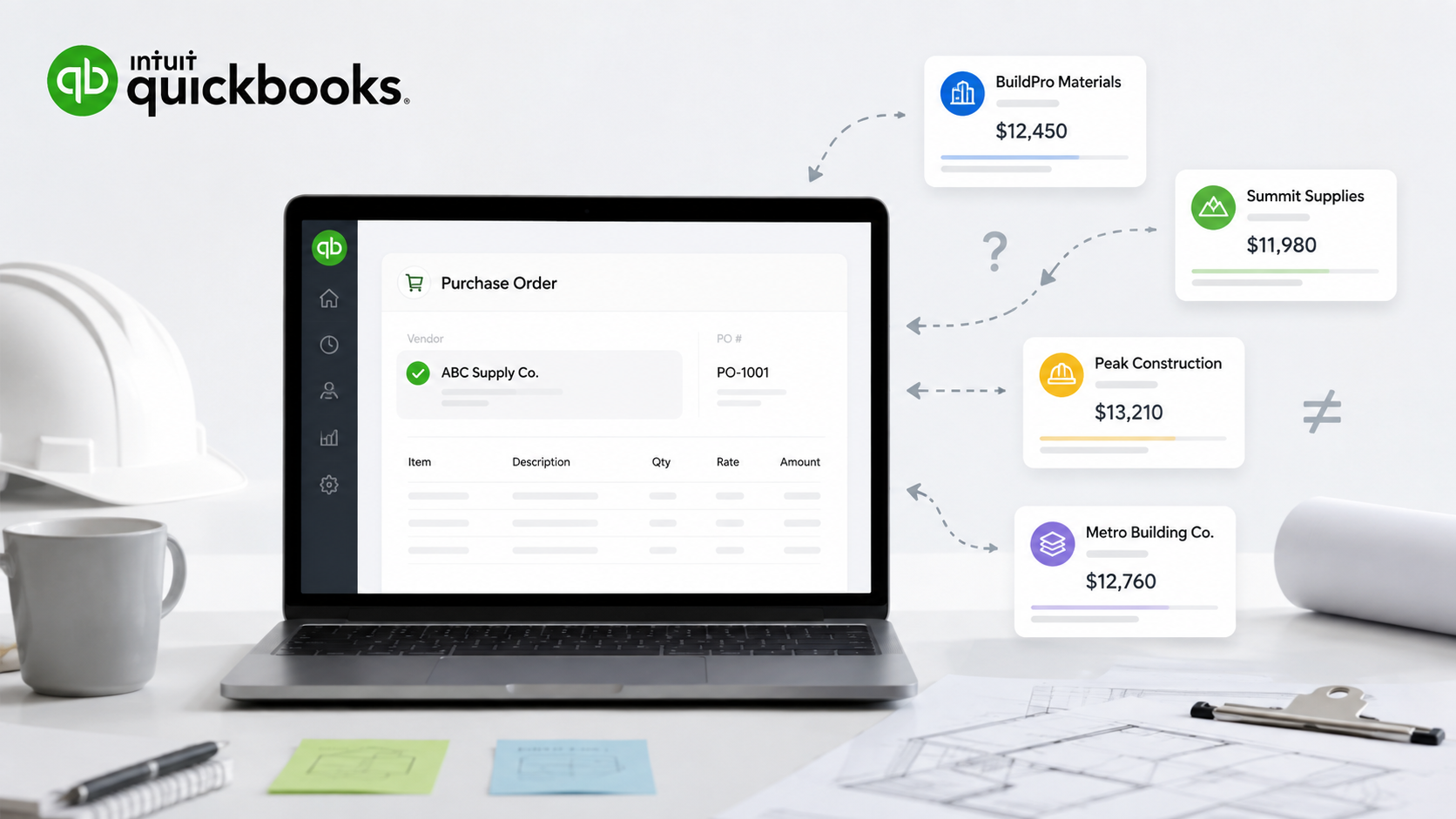
But notice what a QuickBooks purchase order actually is. It goes to one vendor. You have already decided who you are buying from before you ever open it. QuickBooks records the decision. It does not help you make it.
Comparing supplier quotes is the step that happens before the PO. It is taking one material list, sending it to three, four, or five suppliers, getting their prices back, and lining them up side by side to see who is actually the best deal. QuickBooks has no tool for that. There is no way to broadcast one request to a group of vendors, no place for their quotes to land, and no screen that stacks them up for comparison. That is not a knock on the software. It is just outside what an accounting ledger is for.
So the work has to happen somewhere. And for most growing shops, “somewhere” means a mess of emails, text threads, a whiteboard, and a spreadsheet somebody rebuilds from scratch every time.
What comparing quotes really looks like right now
Here is the version most contractors would recognize.
A super needs 600 sheets of drywall by Thursday. He texts a photo to the PM. The PM calls his usual supplier, gets a number, and because the job is moving, that is the number. Maybe he calls a second supplier if there is time. Usually there is not. The order goes out on a company card, the material lands, and the price gets sorted out at month-end when the statement arrives and the controller starts playing detective.
Multiply that by every order, across every active job, and a few things happen quietly in the background.
The first is that you stop shopping. When getting a second price is a phone call and a callback, people skip it. That is expensive. On the same order, supplier quotes routinely spread 10 to 30 percent from the lowest number to the highest. On one irrigation job QuoteToMe looked at, the gap between the low quote and the high quote came to $4,871. On a single order. Now remember that materials and equipment often run 40 to 50 percent of a project’s total cost, and you can see how a habit of not shopping turns into real money.
The cleaner approach
The cleaner approach, and the one good bookkeepers push for, is to keep the whole pre-purchase process—the requests, the quotes, the comparison, the losing bids—out of the ledger entirely. Only the winning purchase order crosses over into QuickBooks. One clean commitment, coded to the right job and cost account, with the three quotes it beat kept as your paper trail somewhere that is built to hold them.
QuickBooks stays your system of record. Something else needs to be your system of action.
Where QuoteToMe fits
This is exactly the gap QuoteToMe was built to fill for contractors on QuickBooks Online. It is the place the comparison lives, and it hands QuickBooks only the clean, finished result.
The flow looks like the one above, just without the phone tag. A request comes off the jobsite in seconds. It goes out to your supplier group. Quotes come back and get lined up side by side so you can see the real low, not just the first number you were quoted. You award the order, and the winning purchase order syncs straight into QuickBooks Online, already coded to the right job and account, so you can see committed cost against that job before the invoice ever arrives, not ten days after. When the material lands, delivery gets confirmed with a photo on site. When the invoice comes in, it gets checked against the quote, the PO, and the delivery before anyone approves it.
Setup is not a project. You connect QuickBooks in under an hour, read-only until you say go, and map your accounts and jobs once, together.
The contractors using it tend to describe the result in terms of time and peace of mind rather than software features. Josh Paul, who runs operations at Complete Power Solutions in Edmonton, put it this way: QuoteToMe “saved us the cost of a full-time purchaser, reduced admin time on invoice entry, and ensured nothing slips through the cracks.” Others report cutting PO creation time by at least half and clearing clean invoices in a fraction of the time, because the checking is already done.
That is the quiet part of comparing quotes properly. The savings on materials are real, but the thing owners actually notice is that month-end stops being a mystery.
“Saved us the cost of a full-time purchaser, reduced admin time on invoice entry, and ensured nothing slips through the cracks.”
Josh Paul — Complete Power Solutions, Edmonton
Back to the fridge
You should be able to answer the material question as easily as the grocery one. Not because you are watching your crew, but because you finally have the same control, visibility, and confidence over your spending that you already have over everything else in your business.
Comparing supplier quotes is the front door to all of it. QuickBooks will happily keep the books once the decision is made. The decision itself—getting more than one price, comparing them like an adult, and buying the best one—just needs a place to happen. Give it one, and the money stops disappearing into the gap.
From one builder to another, it is worth the hour it takes to set up.
Curious what your own quote spread looks like?
Use our ROI Calculator to see how much you are leaving on the table.
Calculate My SavingsSources
- Supplier quotes spreading 10 to 30 percent on the same order, and the $4,871 spread on a single irrigation job: QuoteToMe procurement data.
- Materials and equipment accounting for 40 to 50 percent of a project’s total cost: QuoteToMe, in line with common construction cost-estimating ranges.
- Savings lost to off-contract, “maverick” buying, up to 16 percent of negotiated savings: The Hackett Group.
- Duplicate or erroneous payments at roughly 1 to 2 percent of accounts-payable spend: Association for Financial Professionals and industry accounts-payable benchmarks.
- Rework at roughly 5 percent of total project cost on the average project: Construction Industry Institute.
- Customer results, including saving the cost of a full-time purchaser, reduced invoice-entry admin time, and cutting PO creation time by at least half: QuoteToMe customer accounts from Complete Power Solutions (Edmonton) and Buttcon West.